Everything a small team needs, nothing it doesn't
No sprint ceremonies. No story points. No per-seat pricing. Just a focused bug tracker that gets out of your way.
Self-hosted & private
Runs on your own server with a local SQLite database. Your code, your bugs, your data — never on someone else's cloud.
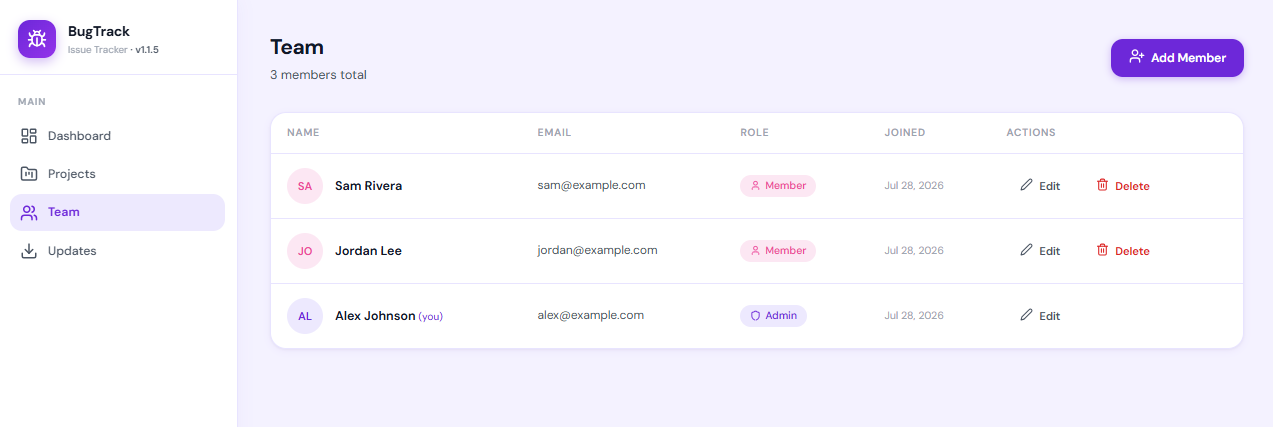
Roles that fit small teams
Admin, lead, member and viewer — globally and per project. Bring in a client as a viewer without exposing everything else.
Nothing to learn
A modern UI with dark mode and no configuration ceremony. You will have filed your first bug within a minute of installing.
Slack & email alerts
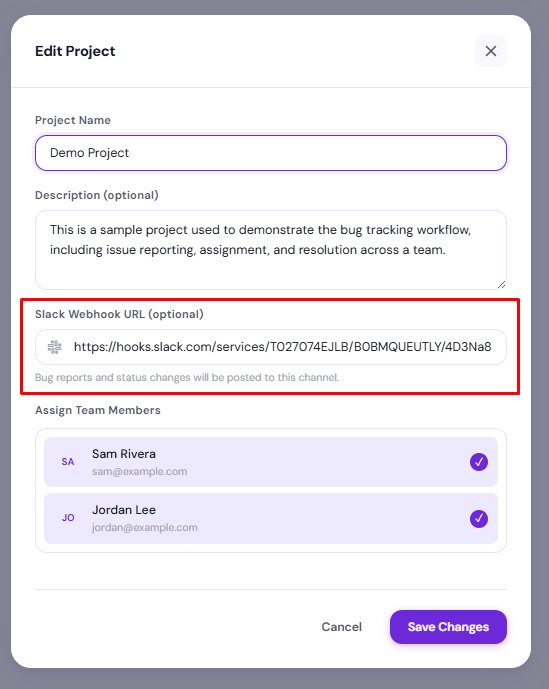
Get told when a bug is filed, assigned, commented on, or changes status — without anyone having to sit in the app all day.
Screenshots that just paste
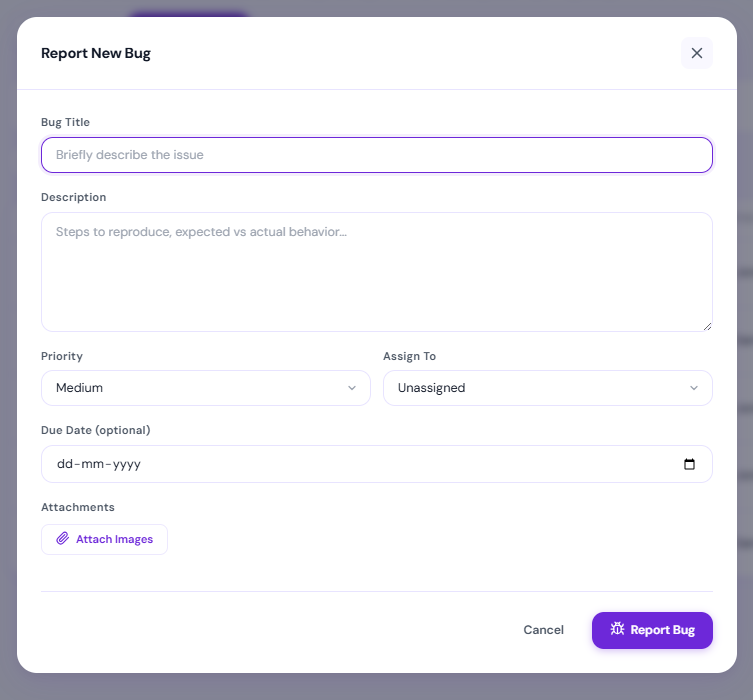
Paste an image straight into a bug or a comment. No upload dialog, no attachment dance.
Updates without SSH
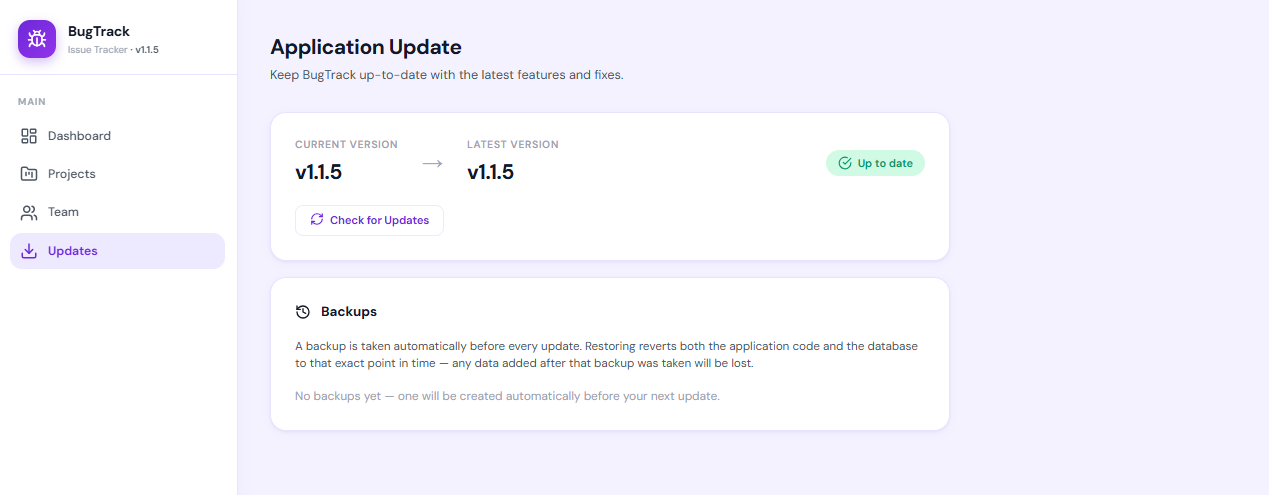
Apply a new version from the admin panel. BugTrack backs up first, verifies it, and never replaces your database or uploads.
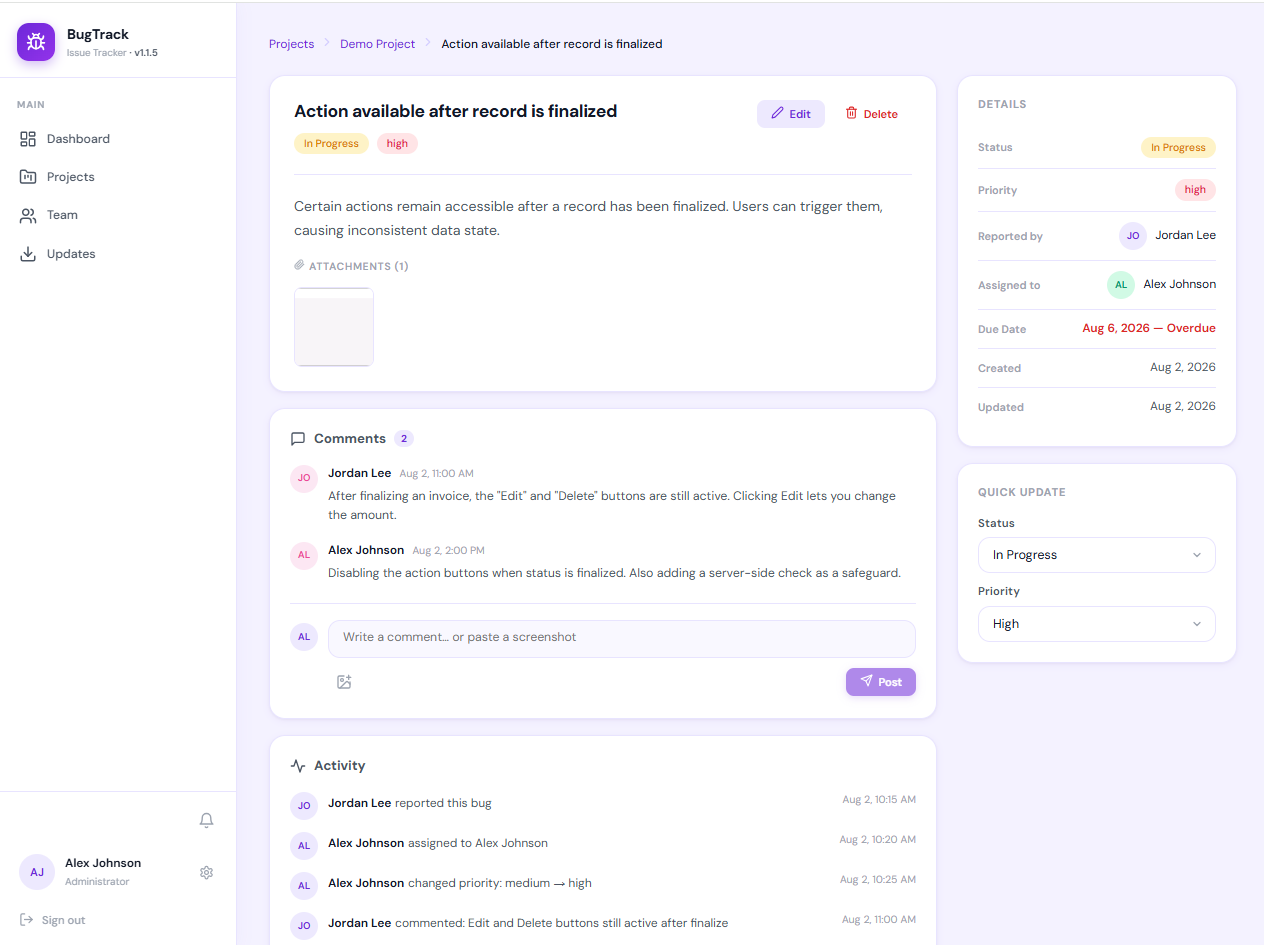
Detailed bug tracking
Every bug gets its own page with full context — status, priority, assignee, due dates, attachments, and a threaded comment section for discussion.
- Priority levels from low to critical
- Activity timeline showing every change
- Quick-update sidebar for fast triage
- Comment with screenshots inline
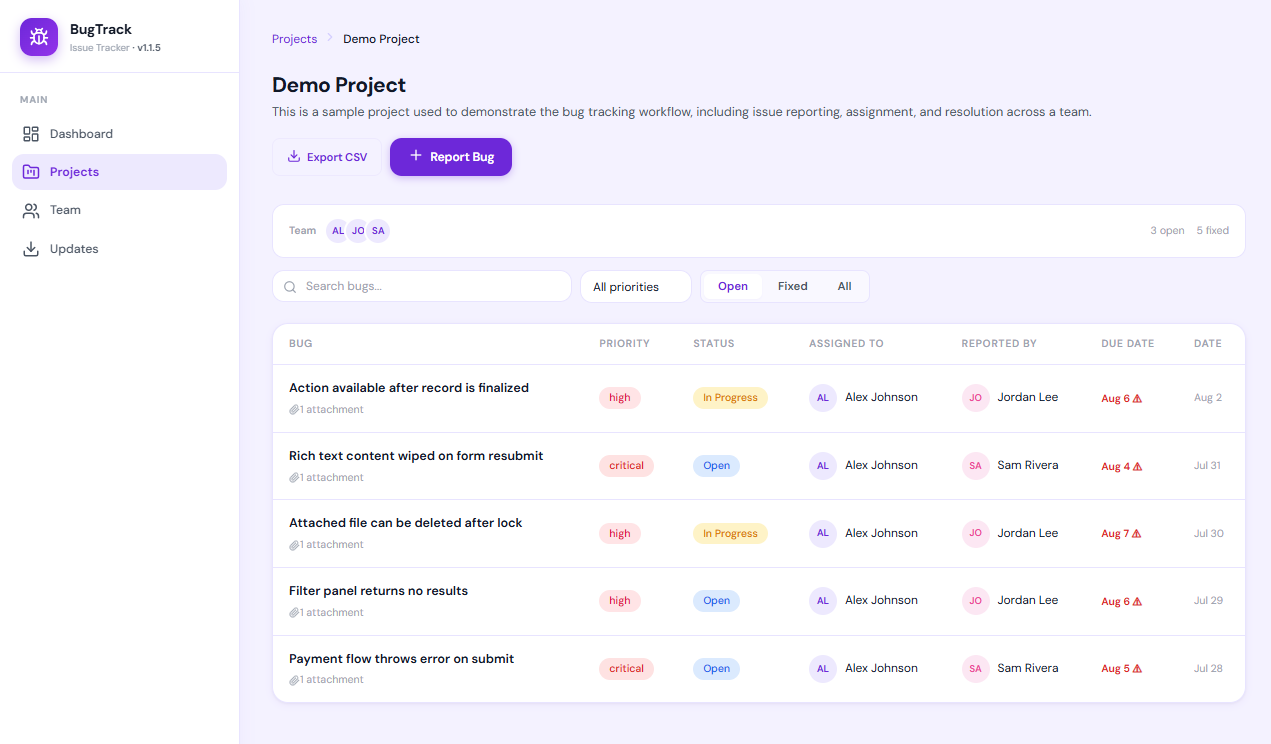
Project bug lists
See every bug in a project at a glance. Filter by status, search by title, sort by priority — find what matters fast.
- Search and filter across all bugs
- Colour-coded priority and status badges
- Export to CSV for reports
- Due date tracking with overdue alerts
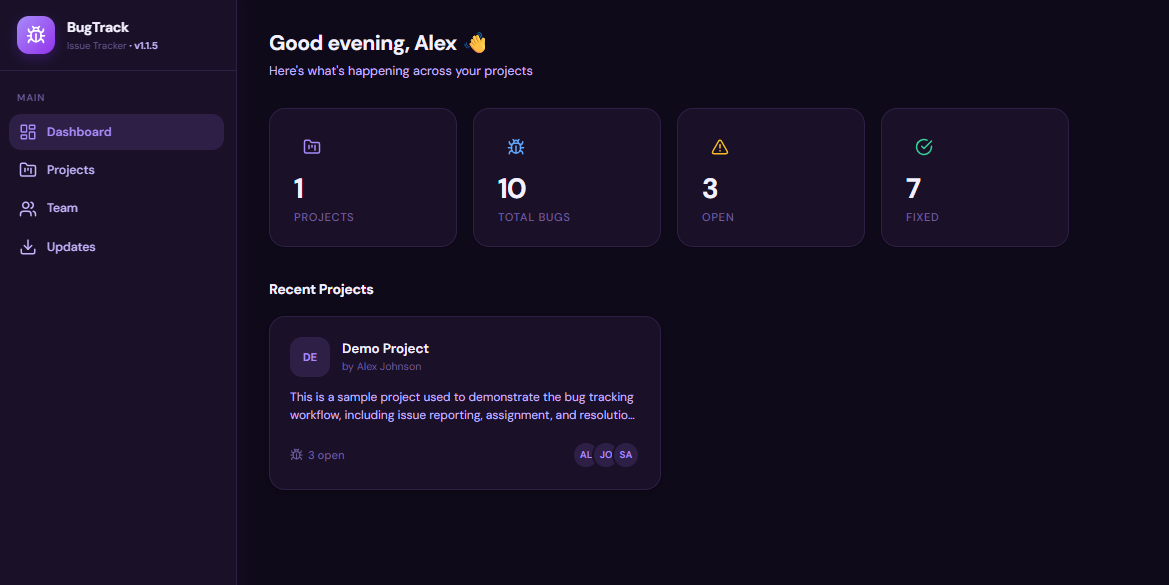
Dark mode
Easy on the eyes during late-night debugging. BugTrack's dark theme is designed, not just inverted.
- Full dark mode across every screen
- Respects your system preference
- Carefully tuned contrast and colours
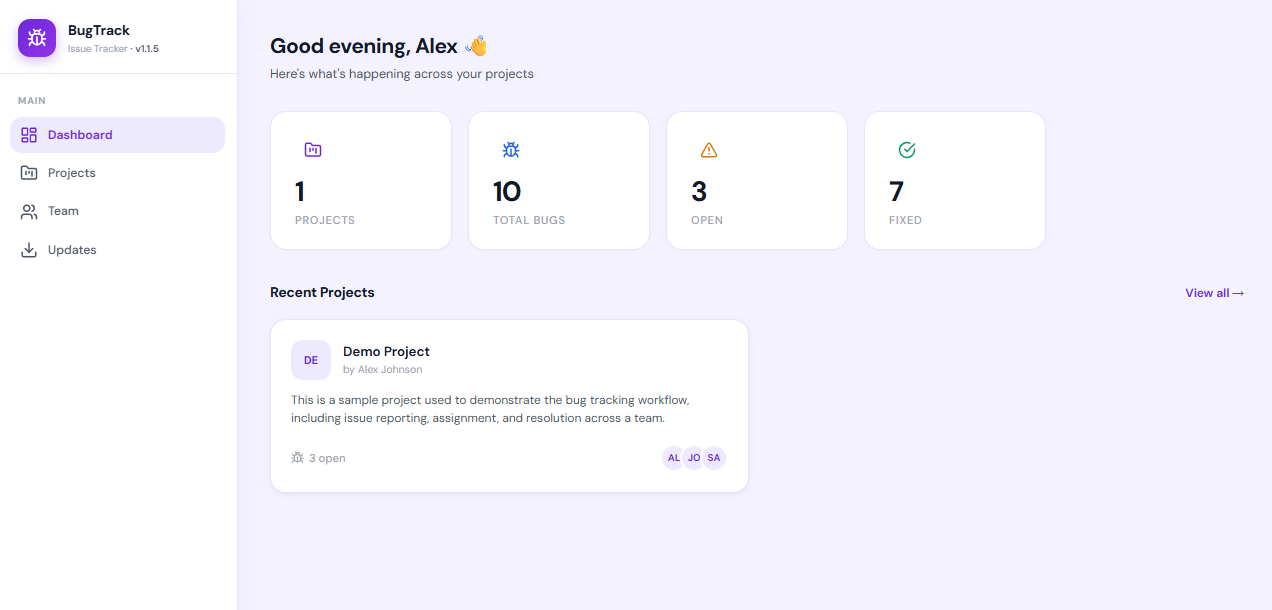
See the whole thing
Every screen, shot from a real install. Select any one to open it full size.




It's free
We're just getting started, so BugTrack is free to download and run — for one person or a whole team.
No account. No card. No per-seat charge. No trial clock.
- Unlimited projects, bugs, comments and attachments
- Unlimited team members — you are not billed per seat
- Every feature included; nothing is held back for a paid tier
- Runs entirely on your hardware, so there is nothing for us to meter
- In-app updates as new versions ship
Being straight with you: BugTrack is free right now. If we introduce paid tiers later, anything you have already installed keeps working — it is on your server, and we cannot switch it off.
Install it on your own server
One zip, a couple of commands, and you are running. This is the full installable app — not the demo.
Hosted on GitHub. All releases
Verify it before you unzip:
sha256sum -c bugtrack-v1.4.12-install.zip.sha256
- Unzip it on your server.
- Run
npm installto fetch dependencies. - Run
npm start. BugTrack creates its database on first boot. - Open
http://your-server:3001and sign in asadmin@bugtracker.com/Admin@123, then change that password straight away.
Full setup and deployment instructions are in the documentation. Stuck? Ask us — we answer.
Straight answers
How much does BugTrack cost?
BugTrack is free to download and self-host right now — no account, no card, no per-seat charge. It is free while we are getting started. If paid tiers arrive later, anything you have already installed keeps working, because it runs on your server rather than ours.
Who is BugTrack for?
Individual developers, freelancers and small software teams — roughly one to twenty people. It deliberately leaves out sprint planning, story points and workflow builders. If you need those, a larger tool will serve you better.
Where is my data stored?
On your own server. BugTrack keeps everything in a local SQLite database file and stores uploaded images on your own disk. Nothing is sent to us and there is no BugTrack cloud account to create.
What do I need to run it?
Node.js 18 or newer and about 200 MB of disk. Any Linux VPS, a shared host with Node support, or a Windows or Mac machine will do. There is no separate database server to install — BugTrack uses SQLite.
How long does installation take?
A few minutes. Download the zip, unzip it, run npm install, then npm start. BugTrack creates its database and your admin account on first start.
Can I try it without installing anything?
Yes. The live demo opens straight into a working copy with no sign-up and no password. It is shared with other visitors and reset every night, so treat it as a sandbox.
How do updates work?
An admin applies them from inside the app. BugTrack backs up your current install, verifies that backup, syntax-checks the new code and dry-runs any database migration before touching anything live — then applies it and restarts. Your database and uploaded files are never replaced.
Is BugTrack open source?
Not currently. The install zip contains readable, unobfuscated Node.js and React code that you own a copy of and run yourself, but it is not published under an open-source licence.
Get in touch
Questions about installing, hosting, or whether BugTrack fits your team? Ask — a real person replies.
We can help with
- Deciding whether BugTrack suits how your team works
- Getting it installed on your VPS or shared host
- Migrating issues in from another tracker
- Feature requests — small teams shape what we build next
- Bug reports about BugTrack itself
Prefer plain email? Write to bugtrack@vibgyortechsolutions.com.
Ready to track bugs the right way?
Free to download, yours to run. Up and working in a few minutes.
Download BugTrack Free →