What is a self-hosted bug tracker?
The term gets used loosely, often as a synonym for "open source" or "free", which it isn't. Here is what self-hosting actually means for a bug tracker, what it buys you, what it costs, and when you should not do it.
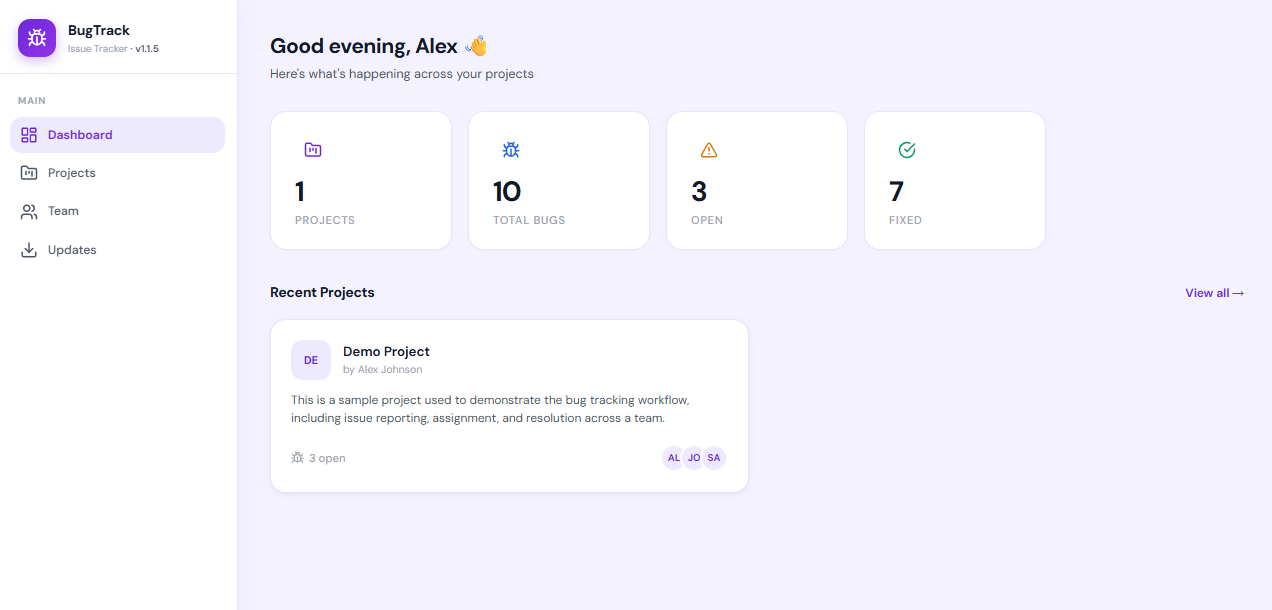
A self-hosted bug tracker is issue-tracking software you install on a server you control. Your bug reports, comments and attachments live on your own disk, in your own database. There is no vendor account, no per-seat bill, and the software keeps working whether or not the company that made it does. In exchange, backups, updates and uptime become your job.
Self-hosted, hosted, open source: three different things
These get used interchangeably and they are not the same axis at all.
| Term | What it actually describes |
|---|---|
| Self-hosted | Where it runs. On infrastructure you control. |
| Hosted / SaaS | Where it runs. On the vendor's infrastructure, reached through a browser. |
| Open source | The licence. Whether you may read, modify and redistribute the code. |
All four combinations exist. Plenty of open-source tools are sold as hosted services. Plenty of self-hosted software is closed source — you run it, you can read it, but you may not redistribute it. Conflating the two leads people to reject a tool that would suit them, or expect source rights they were never offered.
What self-hosting actually gets you
Your data stays where you put it
This is the reason that matters most, and it is more concrete than "privacy". Bug reports are unusually revealing documents. They contain screenshots of unreleased features, stack traces with internal hostnames, customer names in reproduction steps, and candid engineering commentary about what is broken. That is a detailed map of your product's weak points sitting in a third party's database.
For agencies and freelancers there is a sharper version: bugs about a client's system are often covered by that client's confidentiality agreement. Self-hosting turns "where is our bug data" from a vendor question into a question you can answer yourself.
Cost stops scaling with headcount
Per-seat pricing punishes exactly the people a small team most wants to include — the designer who files two bugs a month, the client who should see progress, the contractor on a six-week engagement. At ten dollars per user per month, adding five occasional participants costs six hundred dollars a year, so teams don't, and those people end up reporting bugs over chat where they get lost.
Self-hosted pricing is the server, not the seats. Adding the tenth person costs nothing.
Nobody can change the deal
Hosted tools get acquired, repriced, and discontinued. Free tiers get narrowed. Software running on your own server is immune to all of that: the version you have keeps working indefinitely, on your schedule.
It works where the internet doesn't
Air-gapped networks, on-premise client sites, regulated environments. A tracker on the local network works when the connection is down.
What it costs you
Being honest about this is the difference between advice and marketing.
- Uptime is yours. If the server goes down at 2am, nobody else is paged.
- Backups are yours. This is where self-hosting most often goes wrong: not a dramatic failure, but discovering the backup you assumed existed never ran. A self-hosted tool without a tested restore is a data-loss incident waiting for a date.
- Updates are yours. Security fixes only apply when someone applies them.
- Access from outside is yours to arrange. A domain, a certificate, and a decision about whether it faces the internet at all.
For a small team, the realistic ongoing cost is a few dollars a month of hosting and well under an hour a month of attention. That is small, but it is not zero, and it has to belong to someone specific.
The database question, which is most of the difficulty
Historically, self-hosting a bug tracker meant provisioning a MySQL or PostgreSQL server, creating a database and user, configuring a connection, and then maintaining that database forever. For a five-person team, the database was more operational work than the tracker.
Tools built on SQLite avoid this entirely. SQLite keeps the whole database in a single file on disk, with no server process, no port, no credentials and no separate thing to back up — copying the file backs up everything. For the read and write volumes a small team produces, it is not a compromise; it is simply the right size of tool.
This is worth checking before you choose anything: "self-hosted" tells you nothing about how hard it is to run. "Self-hosted, single file, no database server" tells you a great deal.
When you should not self-host
Self-hosting is a poor fit if:
- Nobody wants to own it. If no one will notice a full disk or a failed backup, a hosted tool will genuinely be more reliable for you. This is the most common reason, and there is nothing wrong with admitting it.
- You need it to scale past a few dozen people. At that size the operational work stops being incidental.
- You need deep integration with a hosted ecosystem that assumes a vendor's API.
- Compliance requires a vendor's certifications rather than your own controls.
What to check before choosing one
- Does it need a separate database server? Biggest single factor in setup and maintenance effort.
- How do updates work? Manual file replacement, or from inside the app? Does updating touch your data?
- Where do uploads go, and are they inside the folder an update replaces? If so, an update can eat your attachments.
- What does backup mean here? One file, or a database dump plus a directory?
- Is there a real access model? If everyone is effectively an admin, you cannot bring a client in.
- What happens to your data if you leave? CSV export at minimum.
For a worked example of what those answers look like in practice, BugTrack's documentation covers where the database and uploads live, how backups are taken before an update, and what an update does and does not replace.
Frequently asked questions
Is self-hosted more secure than SaaS?
Not automatically. A well-run hosted service is more secure than a neglected server. Self-hosting changes who is responsible, not how good the outcome is. What it reliably gives you is control and the absence of a shared breach surface — your bug data is not in a database alongside thousands of other companies. For a full breakdown, see self-hosted vs SaaS bug tracker.
Can I self-host on shared hosting?
If it supports Node.js, often yes — particularly for a tracker that uses SQLite and needs no database server. A small VPS gives you more control, but shared hosting with Node support is enough for a small team.
What happens when the vendor disappears?
Your install keeps running. You stop getting updates, which matters for security over time, but there is no shutdown date and no scramble to export.
A self-hosted bug tracker with no database server to run
BugTrack stores everything in a single SQLite file on your own disk. Unzip, run
npm install, npm start. Free, and built for teams of one
to twenty.