How to write a bug report that actually gets fixed
Most bug reports fail for one reason: the developer cannot reproduce the problem and has to come back and ask. Here is how to write one that skips that round trip entirely — plus a template you can paste straight in.
A good bug report answers three questions: what you did, what you expected, and what happened instead. Add a screenshot and the environment you were in. Report what you observed, never what you concluded. Everything else is optional.
There is a specific moment that kills a bug report. A developer picks it up, reads it, tries the thing, and the thing works. Now they have to decide whether the reporter was confused, whether it is intermittent, or whether some detail was left out. That decision costs more time than the fix, and it is the reason bugs sit in backlogs with a comment that just says "can't reproduce".
Everything below exists to prevent that one moment.
1. A title that states the symptom
The title is what people scan in a list of forty. It should say what goes wrong and where, specifically enough that two similar bugs are distinguishable.
| Instead of | Write |
|---|---|
| Export broken | Export button does nothing on the Projects page |
| Login issue | Sign-in fails with "Invalid token" after password reset |
| Bug in comments | Comment posts twice when you press Enter quickly |
A good test: if you read only the title in six months, would you know whether it is the same bug you just hit again?
2. Steps to reproduce, from a known starting point
This is the part that decides whether the bug gets fixed. Number the steps, and start from a state the reader can also reach — a fresh sign-in, an empty project, a specific page.
1. Sign in as a project member
2. Open any project with at least one bug
3. Click Export CSV in the top right
4. Nothing downloads and no error appears
Two things people leave out and shouldn't:
- The actual values you used. "I entered a long title" is not reproducible; "I pasted 600 characters into the title" is. If the input mattered, include it.
- How consistently it happens. "Every time" and "about one in five" send the developer down completely different paths. If you only saw it once, say so — that is useful information, not a weakness in the report.
3. Expected versus actual
Two sentences, and skipping them is the most common way a report goes wrong. Without "expected", the reader cannot tell a bug from the feature working as designed and you disagreeing with the design.
Expected: a CSV file downloads containing the project's bugs.
Actual: nothing happens. No file, no error, no change on screen.
"Nothing happens" is worth writing explicitly. It rules out an error the reporter might have dismissed, and it is genuinely different from an error appearing.
4. Report observations, not diagnoses
This is the habit that most separates a report a developer trusts from one they have to unpick.
When something breaks, it is natural to form a theory and report the theory. But a theory sends the developer to look where you guessed, and if you guessed wrong they spend an hour there before starting over.
| Diagnosis (avoid) | Observation (write this) |
|---|---|
| The API is caching the response | The total still says 40 after I delete a row, until I reload the page |
| There's a race condition in the comment form | Pressing Enter twice quickly posts the comment twice |
| Permissions are broken | Signed in as a viewer, I can see the Delete button, and clicking it says "Forbidden" |
Keep the theory — put it at the bottom under "possibly related". It is often useful. It just should not be the report.
5. A screenshot, always
One screenshot removes more ambiguity than a paragraph. It shows the state of the screen, the exact error wording, which account is signed in, and the twelve things you did not think to mention.
Annotate it if the problem is not obvious — an arrow costs five seconds. And if there is an error message, still type it out as text as well as screenshotting it, so it is searchable when someone hits it again next year.
The friction here matters more than it sounds. If attaching a screenshot means saving a file, finding it in a folder and uploading it, people skip it. If it means pressing Ctrl+V, they don't. That is why BugTrack takes a pasted image directly in the description box.
6. Environment, when it could matter
Not every bug needs this, and padding every report with a hardware inventory trains people to skip the section. Include what could plausibly be involved:
- Browser and version, for anything visual or interactive
- Operating system, for file handling, uploads or keyboard behaviour
- The role or account you were signed in as, for anything permissions-shaped
- Screen size, for layout problems
- Whether it also happens in a private window, which rules out extensions and stale sessions
The template
Copy this. It is deliberately short — a template people actually fill in beats a thorough one they abandon. A formatted version is also available on the bug report template page if you want something to paste into a doc or share with your team.
Title: [what goes wrong] on [where]

Steps to reproduce:
1.
2.
3.

Expected:
Actual:

How often: every time / sometimes (roughly how often) / saw it once

Environment: browser + version, OS, signed in as [role]

Screenshot: [paste]

Possibly related: [any theory, optional]
What to leave out
- Apologies and hedging. "Sorry, this is probably just me" makes a real bug easier to dismiss.
- Several problems in one report. File one per problem. A bundled report cannot be closed until the last item is fixed, so the fixed parts stay invisible.
- Severity you had to guess at. Describe the damage in words and let whoever triages set the field. See severity vs priority for why those are different jobs.
- Urgency framing. "URGENT!!" in the title does not change the schedule; it just makes the title worse to scan.
Frequently asked questions
What if I can't reproduce it myself?
File it anyway, and say clearly that you saw it once and cannot repeat it. Include the time it happened so it can be matched against logs. An unreproducible report with a timestamp is far more useful than no report.
Should I check whether it's already been reported?
A quick search, yes. But a duplicate takes seconds to close, whereas an unreported bug can cost weeks. When in doubt, file it.
How detailed should the steps be?
Detailed enough that someone unfamiliar with the feature could follow them. If a step reads "configure the project as usual", it needs expanding.
A bug tracker built around this workflow
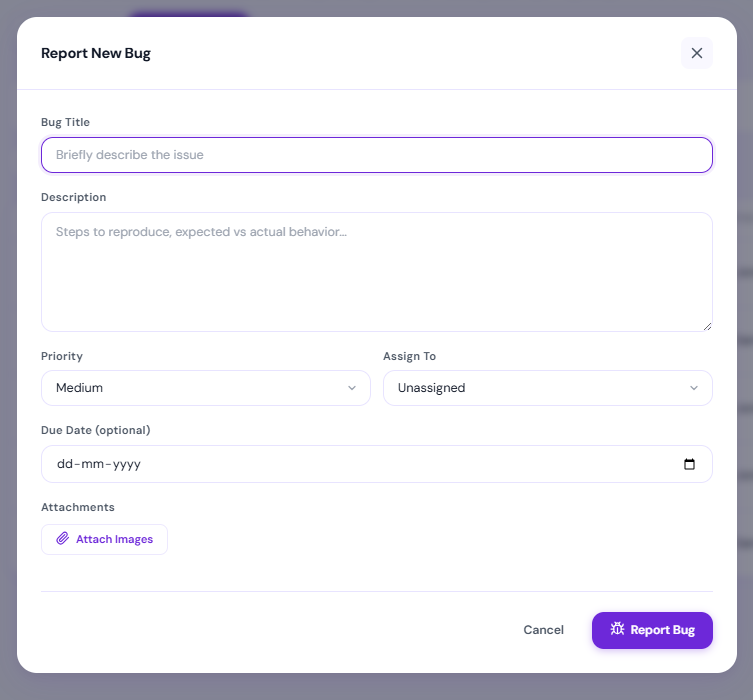
BugTrack gives you a title, a description you can paste screenshots straight into, priority, and an assignee. Free, self-hosted, and running in a few minutes.
Download free →