Most bug trackers are priced and built for internal teams. Adding a client means either paying per seat for someone who logs in twice a month, or not adding them at all — which is how bug reports end up as a paragraph buried in an email thread, three days after the client noticed the problem.
BugTrack is free and self-hosted with no per-seat pricing, so there is no cost calculation to make before you invite a client in. You add them, they see their project, and that's the whole decision.
Built for working with clients, not just teammates
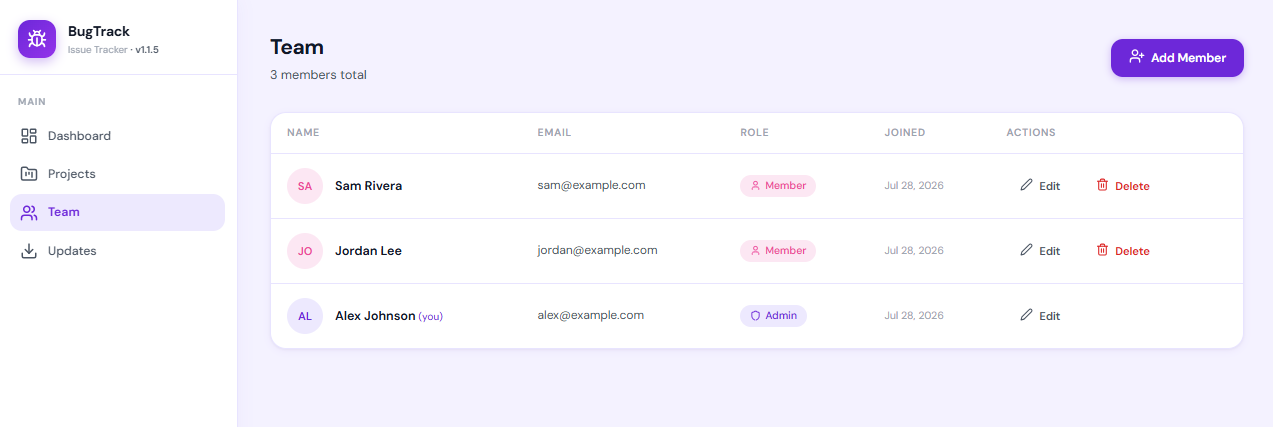
A read-only role, not an all-or-nothing choice
The viewer role sees bugs, statuses, priorities, and comments — and cannot edit, reassign, comment, or delete. Clients get visibility without needing to be managed.
No per-seat pricing to negotiate
Adding a client, a second client, or a subcontractor doesn't change your bill, because there isn't one. Unlimited members and unlimited projects on one install.
Projects stay separate
Each client sees only their own project. Nothing about Client A's bugs, timeline, or team is visible from Client B's account.
Looks like a real product, because it's yours
It runs on your own domain and server — not a shared free-tier tool with someone else's branding, ads, or "upgrade to remove this" banner.
What a client actually sees
A viewer opens a clean list of bugs for their project — status, priority, and the comment thread — and nothing else. No settings, no other clients, no team management, no way to break anything by clicking the wrong thing.
- Read-only access to one project at a time
- Full bug history and comment threads
- No edit, assign, or delete permissions
- Added or removed in seconds when an engagement starts or ends
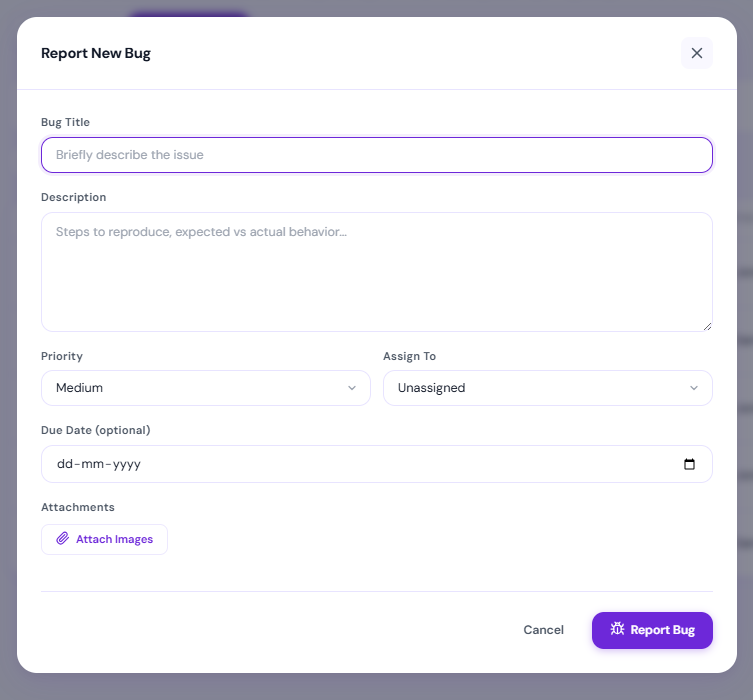
Clients paste a screenshot, not a support ticket
When a client can just paste an image straight into a bug or a comment, you get an actual screenshot of the problem instead of a description like "the button thing is broken again."
- Paste directly into a bug or comment — no upload dialog
- Slack and email alerts when a client reports something new
- One thread per bug, so context doesn't get lost across channels
Questions freelancers actually ask
What does it cost to add a client to BugTrack?
Nothing. BugTrack has no per-seat pricing, so adding a client as a viewer on one project costs exactly the same as not adding them: zero.
Can a client see my other projects?
No. Project membership is per project. A client added as a viewer on their project has no visibility into any other project on the same install.
Can a client accidentally change or delete something?
No. The viewer role is read-only: they can see bugs, statuses, and comments, but cannot edit, assign, comment, or delete anything.
Can I run BugTrack for several clients at once?
Yes. One install supports unlimited projects and unlimited members, so each client can get their own project without a separate installation or a bigger bill.
Do I need to give clients an email account or manage their access?
You invite them by email like any other member, and you can remove access at the end of an engagement in a few seconds. There is no separate account system to administer.
Give your next client a better way to report bugs
Free to download, yours to run. Up and working in a few minutes.
Download BugTrack Free →