Bug tracking best practices for small teams
Twelve habits that keep a bug list trustworthy when your whole team fits round one table — and the enterprise practices you can safely leave to teams ten times your size.
Keep every bug in one place. Make reports reproducible. Triage new bugs on a schedule. Give each bug one owner. Keep priority meaningful. Close what you won't fix. Everything else on this list is a refinement of those six.
Most bug tracking advice is written for organisations with a QA department and a release manager. Small teams copy it, end up with nine statuses and three mandatory fields, and quietly go back to fixing whatever someone shouted about in chat.
The goal of bug tracking at small scale is narrower and more useful: a list you can trust. If a bug is in the tracker, it's real, someone knows about it, and there is a decision about what happens next. If it isn't in the tracker, it doesn't exist. These twelve practices are the minimum that keeps that true.
Capturing bugs
1. Keep every bug in one place
Not the tracker plus a spreadsheet plus a pinned Slack message plus the client's email thread. The moment bugs live in two places, both lists are incomplete and nobody knows which one to believe. If a bug arrives somewhere else — a DM, a support email, a comment on a call — the person who received it files it. That is the whole rule, and it's the one most teams break first. If you're still on a spreadsheet, here's what finally made one team stop.
2. Make filing a bug take under a minute
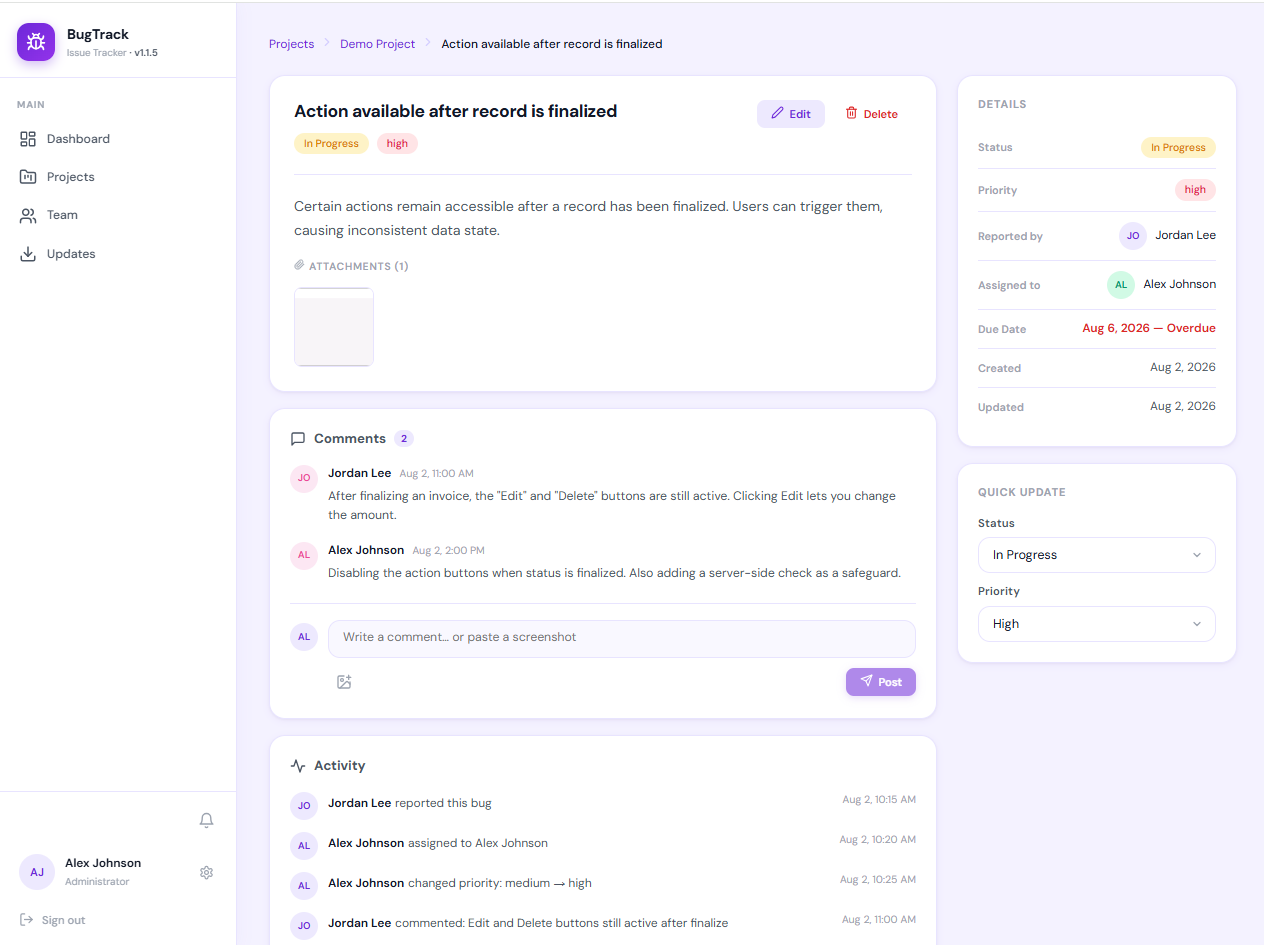
Every required field is a reason not to file. For a small team the essentials are a title, what happened, and a screenshot. Everything else — priority, assignee, labels — can be added during triage by someone who knows the answer. A tracker that makes reporters guess at fields gets either fewer reports or worse ones.
3. Write reports someone else can reproduce
A bug report is a handoff. It should answer three questions: what did you do, what did you expect, and what happened instead. Add the environment when it could matter and a screenshot whenever there's something to see. We've written a full guide on how to write a bug report that gets fixed, and there's a copy-paste bug report template you can hand to anyone who files bugs, clients included.
4. One bug per report
"The export is slow, the date is wrong and the button is off-centre" is three bugs with three priorities and possibly three owners. Filed together, the easy one gets fixed, the report is closed, and the other two vanish. Split them at filing time; it costs a minute and saves the argument later.
Deciding what to fix
5. Triage on a schedule, not when you remember
Every new bug needs a decision: is it real, is it a duplicate, how soon, and who owns it. A quick daily glance for emergencies and one timeboxed weekly session for everything else is enough for most small teams. Without a rhythm, the loudest bug gets fixed and the rest accumulate. Our bug triage process for small teams walks through the four questions and a 15-minute weekly routine.
6. Keep priority meaningful
If most of your open bugs are "high", priority has stopped carrying information. Cap the top level — some teams allow no more than three open criticals — and write down what each level means where people set it. Small teams rarely need separate severity and priority fields; the reasoning is in bug severity vs priority.
7. Give every bug exactly one owner
A bug assigned to "the team" is assigned to nobody. One named person is responsible for it moving — which may mean fixing it, or handing it to someone better placed. If a bug has no owner, that should be because you decided it can wait, not because nobody got round to it.
8. Use as few statuses as you can
Every status is a handoff someone has to remember to make. Open, in progress, fixed and closed covers the life of almost every bug on a small team. Add a status only when a real step — a separate QA pass, say — is being lost without it, not because a larger team's workflow had one.
Working the bug
9. Keep the conversation on the bug
Decisions made in chat are gone by the end of the week. Discussion, screenshots and "we tried X, it didn't help" belong on the bug, where the next person who opens it will see them. Chat is fine for alerting people that something happened — as long as it links back to the tracker rather than replacing it. See bug alerts in Slack without the noise for how to set that up without drowning a channel.
10. Verify the fix before closing
"Fixed" means the developer believes it's fixed. "Closed" should mean someone checked — ideally whoever reported it, on the same steps that broke it. The two statuses exist precisely so there's room for that check. Skipping it is how the same bug gets reported again three weeks later with a new number.
Keeping the backlog honest
11. Close bugs you won't fix
A backlog that only grows is a backlog nobody believes. Some bugs are too rare, too cheap, or in code you're about to replace. Close them as won't fix with one line explaining why. A closed bug can be reopened; an open bug nobody intends to touch just hides the ones you will.
12. Watch three numbers, not thirty
Small teams don't need a metrics dashboard. Three numbers tell you whether bug tracking is working: how many critical bugs are open, the age of the oldest untriaged bug, and whether the open count is rising or falling month to month. If all three look sensible, your process is fine. If one doesn't, you know which habit has slipped.
The twelve practices at a glance
| Practice | The minimum version |
|---|---|
| One place for bugs | Whoever receives a bug elsewhere files it |
| Fast filing | Title, what happened, screenshot — nothing else required |
| Reproducible reports | Steps, expected, actual |
| One bug per report | Split at filing time |
| Scheduled triage | Daily glance, weekly 15-minute session |
| Meaningful priority | Cap the number of criticals |
| One owner | A named person, never a group |
| Few statuses | Open, in progress, fixed, closed |
| Discussion on the bug | Chat alerts link back to the tracker |
| Verified fixes | Reporter confirms before closing |
| Honest backlog | Close won't-fix bugs with a reason |
| Light metrics | Open criticals, oldest untriaged, trend |
What small teams can safely skip
Plenty of "best practice" is really large-team practice. It solves coordination problems you don't have yet, and carrying it early costs more than it saves:
- Story points on bugs. Estimating a bug you haven't diagnosed is guessing with extra steps.
- Custom workflows with approval gates. Useful when fifty people touch a bug. Friction when five do.
- Separate severity and priority fields. When the reporter and the scheduler are the same person, the two fields always agree.
- SLA timers and escalation rules. "No bug waits more than a week for a decision" does the same job at small scale.
- Mandatory labels and components. Nice to have; not worth making anyone stop and pick one to file a bug.
You'll know when you need them: when reporters and schedulers become different people, when bugs cross team boundaries, or when a customer contract requires response times. Until then, the twelve habits above do the work. Bug tracking for a team of one to five goes further into what that scale actually needs.
Giving clients and stakeholders access
If you build for clients, the same rules apply with one addition: decide what they can see and do. Read-only access to their own project keeps them informed without letting the bug list fill with duplicates and feature requests, and it replaces the weekly "any update?" email. More on that in giving a client access to your bug tracker, and for agencies running several clients from one install, see BugTrack for agencies.
Frequently asked questions
What are the most important bug tracking best practices?
Keep every bug in one place, make reports reproducible, triage new bugs on a regular schedule, give each bug one owner, keep priority meaningful, and close bugs you won't fix. The rest build on those six.
How many statuses should a bug tracker have?
For a small team, four: open, in progress, fixed and closed. Add one only when a real, recurring step is being lost without it.
Should every bug be fixed?
No. Some are too rare, too cheap or in code you're about to remove. Close them as won't fix with a short reason so the ones that matter stay visible.
Is a spreadsheet good enough for bug tracking?
For a handful of bugs and one person, briefly. It breaks down once several people edit it, when you need screenshots and discussion attached to a bug, or when you want a history of who changed what.
What bug tracking metrics should a small team watch?
Open critical bugs, the age of the oldest untriaged bug, and whether the open count is rising or falling. Anything more elaborate tends to be measured rather than acted on.
Bug tracking without the enterprise overhead
BugTrack is a free, self-hosted issue tracker built around these habits: one priority field, four statuses, one owner per bug, screenshots pasted straight into reports, and read-only access for clients. Running in about 15 minutes.
Download free →