Set up a bug tracker in 15 minutes — no subscription, no credit card
Most bug tracking tools start with a sign-up form and end with a monthly invoice. BugTrack starts with a download. Here is how to go from nothing to a working tracker for your whole team in under 15 minutes.
Node.js 20 or newer — check with node --version in a terminal.
If you don't have it, nodejs.org has
one-click installers for Windows, Mac, and Linux. That's it. No database to install,
no Docker, no config files to edit before you can start.
Step 1 — Download and unzip (2 minutes)
Go to bugtrack.tech and download the latest release. It is a single zip file — no installer, no wizard. Unzip it wherever you keep your projects.
The zip unpacks to a folder called bugtrack/. Everything the app needs
is in there: the server, the built frontend, and an empty database that gets
populated on first run.
Step 2 — Install and start (3 minutes)
Open a terminal, navigate to the unzipped folder, and run two commands:
npm install
npm start
The first command downloads BugTrack's dependencies — it takes a minute or two the first time, nothing after that. The second starts the server. You will see:
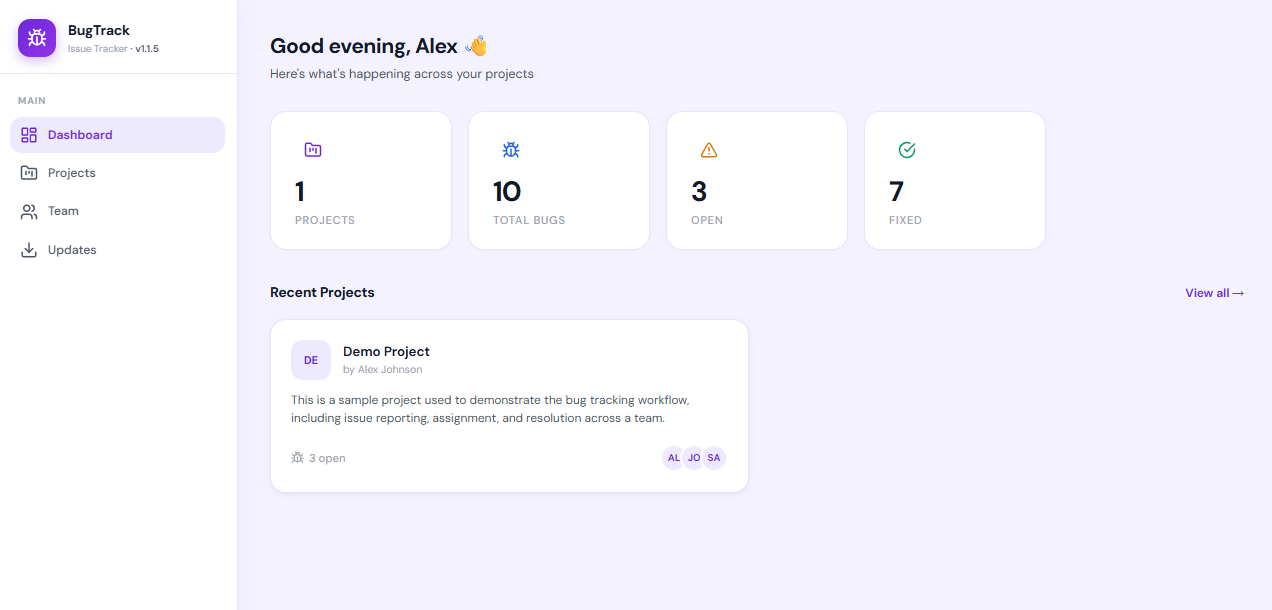
BugTrack running on http://localhost:3001Open that address in your browser. You are looking at BugTrack.
Step 3 — Sign in and change the admin password (2 minutes)
The default admin credentials are printed in the README and in the release notes. Sign in, go to Settings → Account, and change the password to something only you know. Do this before you share the URL with anyone.
While you are in Settings, add your name and optionally a profile picture. Your team will see this when bugs are assigned.
Step 4 — Create your first project (2 minutes)
Click New Project on the dashboard. Give it a name and a short description. That is all the configuration BugTrack needs. There are no boards to set up, no workflow states to define, no mandatory fields beyond a title.
If your team works on more than one codebase, create a project per codebase. Each project has its own bug list, its own members, and its own Slack webhook if you want notifications.
Step 5 — Add your team (3 minutes)
Go to Users in the sidebar and click Add user. Enter their name and email address and choose a role:
| Role | What they can do |
|---|---|
| Lead | Create projects, manage members, do everything |
| Member | Report bugs, comment, work on assigned issues |
| Viewer | Read-only — useful for stakeholders or clients |
BugTrack emails them their temporary password. They sign in, change it, and they are in. No invitation link to chase, no account to create on a third-party service.
Step 6 — File your first bug (1 minute)
Open your project and click Report Bug. Add a title, describe what went wrong, set a priority, assign it to someone. Paste a screenshot directly into the description box — no saving to a file first.
You now have a working bug tracker that your whole team can use.
Running it where your team can reach it
If your team works in the same office, running BugTrack on any machine on the network
is enough — share http://<your-ip>:3001 and everyone can reach it
from their browser.
For a remote team, the cheapest option is a £3/month VPS. Upload the BugTrack folder,
run npm start, and point a domain at it. The whole setup takes about the
same 15 minutes as the local install. For a slightly longer walkthrough of that path,
see what self-hosting actually
involves, and the deployment
documentation for putting it behind a domain with HTTPS.
What BugTrack deliberately does not have
No sprints. No story points. No mandatory workflow states. No per-seat pricing that gets expensive the moment your freelancer or client needs read access. No data leaving your machine.
The tradeoff is that you run it yourself — which means you are responsible for keeping the machine up. For most small teams, that is a straightforward VPS that is already running for something else. For a team that wants none of that, BugTrack is probably not the right fit.
Ready to try it?
Download BugTrack, run two commands, and your team has a bug tracker before the end of the hour. No account, no trial period, no card.
Download free →