Bug triage: a simple process for small teams
Four questions for every new bug, five ways it can end, and fifteen minutes a week. How to decide what gets fixed without turning it into a meeting nobody wants to attend.
Bug triage is deciding what happens to a bug before anyone works on it. For each new report, answer four questions: is it real, have we seen it before, how soon, and who owns it? Every bug leaves triage with one of five outcomes — fix now, schedule, needs info, duplicate, or won't fix. Fixing is not part of triage.
Most small teams don't skip triage on purpose. Bugs arrive, someone fixes the ones that are loud, and the rest pile up in a list that grows faster than it shrinks. After a few months nobody trusts the list, so nobody reads it, so the one bug that actually matters sits in there unseen.
Triage fixes that. It doesn't need a role, a meeting or a workflow diagram. It needs someone to look at each new bug once, make a decision, and write it down.
What bug triage is — and what it isn't
The word comes from emergency medicine, where it means sorting patients by who needs help first. In software it is the step between reported and being worked on. Its only output is a decision.
That rules out a few things people often fold into it. Triage is not debugging — if you find yourself reading stack traces, you have started fixing. It is not estimating — you don't need to know how long a fix takes to know it matters. And it is not a debate about the roadmap. Each bug should take a minute or two. If one needs longer, give it an owner whose first job is finding out.
The four questions
Work through them in order. Each one can end triage early, which is the point: most bugs don't need all four.
1. Is it real, and can we reproduce it?
Try the steps in the report. If it reproduces, move on. If it doesn't, the report is usually missing something — a browser, a role, a specific record, a step the reporter thought was too obvious to write down. Ask for the specific thing you need, not "more information". "Which account were you signed in as?" gets an answer; "can you give more detail?" gets the same report again.
Most unreproducible bugs come from reports that leave out the steps. A good bug report answers three questions up front, and sharing a bug report template with whoever files bugs cuts the back-and-forth.
2. Have we seen it before?
Search before you prioritise. Duplicates are cheap to close and expensive to keep: two reports of the same bug split the discussion, get fixed twice, or get fixed once and left open once. Close the newer one and link it to the original. If the new report has better steps or a screenshot, copy that across before you close it.
3. How soon should it be fixed?
This is priority, and it is a scheduling decision, not a measure of how bad the bug feels. A crash in a screen two people use can wait; a typo on the pricing page cannot. We cover that distinction properly in bug severity vs priority. For triage, the useful question is simply: what happens if this is still broken next week?
4. Who owns it?
One person. Not "frontend", not "the team", not whoever is free. A bug assigned to a group is a bug assigned to nobody. The owner doesn't have to fix it personally — they're responsible for it moving, which might mean handing it on. For bugs you have scheduled for later, it's fine to leave them unassigned until they come up, as long as "unassigned" is a deliberate state and not an accident.
The five outcomes
Every bug should leave triage in exactly one of these states. If you can't place it, you haven't finished triaging it.
| Outcome | When | What you do |
|---|---|---|
| Fix now | Data loss, security, a core flow broken for many people, or anything embarrassing on a high-traffic page | Critical priority, assign an owner today, tell whoever reported it |
| Schedule | Real, reproducible, worth fixing — just not before what's already in progress | Set priority, assign or leave for the next planning pass |
| Needs info | You can't reproduce it and the report is missing something specific | Comment asking for the exact detail, set a deadline, close if nothing arrives |
| Duplicate | Already filed | Copy anything useful to the original, link it, close |
| Won't fix | Working as designed, too rare to justify, or in something you are about to remove | Close with a one-line reason |
"Won't fix" is the outcome teams avoid, and avoiding it is what makes backlogs rot. A bug you will realistically never schedule isn't a to-do item — it is noise sitting between you and the bugs you will fix. Closing it with a reason is more honest than leaving it open, and it can always be reopened if it comes back.
How often to triage
Two rhythms cover almost every small team:
- A daily glance. Two minutes, first thing: is there anything new that is on fire? You are only looking for the "fix now" row. Everything else can wait for the weekly pass.
- A weekly session. Fifteen to thirty minutes, same time each week, timeboxed. Work through everything that arrived since last time. If the session regularly overruns, you are either debugging during triage or getting more bugs than one person can sort — and the second is useful information in itself.
Set one rule and keep it: no bug waits more than a week without a decision. A reporter who hears "we've looked, it's scheduled for later" is fine. A reporter who hears nothing for a month stops reporting.
Who should run it
One person. On a team of two to ten that is usually the lead or whoever owns the schedule, because priority needs someone who knows what else is in flight. Pull in the reporter or a developer when a particular bug needs them, but don't make triage a group activity. Committees are good at discussing bugs and bad at deciding them.
If you're a team of one, triage still helps — arguably more. Without it, whatever you happen to see first is what you fix. Five minutes on Monday morning sorting last week's reports is enough, and it means you choose the order instead of your inbox choosing it.
A 15-minute weekly triage routine
- Filter to open bugs with no assignee. That is your triage queue — everything else has already been decided.
- Newest first, one at a time. Run the four questions. Stop at the first one that ends it.
- Write the decision on the bug as a comment, not in your head or a chat thread. "Can't reproduce on Chrome 128 — which browser were you on?" is a decision.
- Chase last week's "needs info". Close anything whose deadline has passed, with a note that it can be reopened.
- Glance at the critical count. If more than a handful of bugs are critical, the label has stopped meaning anything. Re-price some.
- Stop at the timebox. Whatever is left goes first next week.
Common triage mistakes
- Fixing during triage. A two-minute fix is tempting, and ten of them is your whole afternoon. Assign it to yourself and keep sorting.
- Everything is high priority. When nearly every bug is high, priority tells you nothing and the real emergencies are camouflaged. Some teams cap it: no more than three open criticals.
- "Needs info" forever. Without a deadline, a bug waiting for details is a permanent resident. Two weeks, then close it.
- Deciding in chat. A decision made in Slack is lost by Thursday. Put it on the bug, so the next person to open it can see what was decided and why. Notifications should point at the tracker, not replace it — more on that in bug alerts in Slack without the noise.
- Re-arguing old decisions. Priority is allowed to change when circumstances do. It shouldn't change because the same bug came up again in a different mood.
Triage when clients report bugs
If clients file bugs, put their reports through the same triage as everyone else's. A separate "client bugs" list quietly becomes a second backlog with its own rules. What changes is communication: tell the client the outcome, including "won't fix" and why. A plain explanation lands better than silence, and it saves the same bug being reported three more times. We go into the mechanics in giving a client access to your bug tracker.
How this maps onto BugTrack
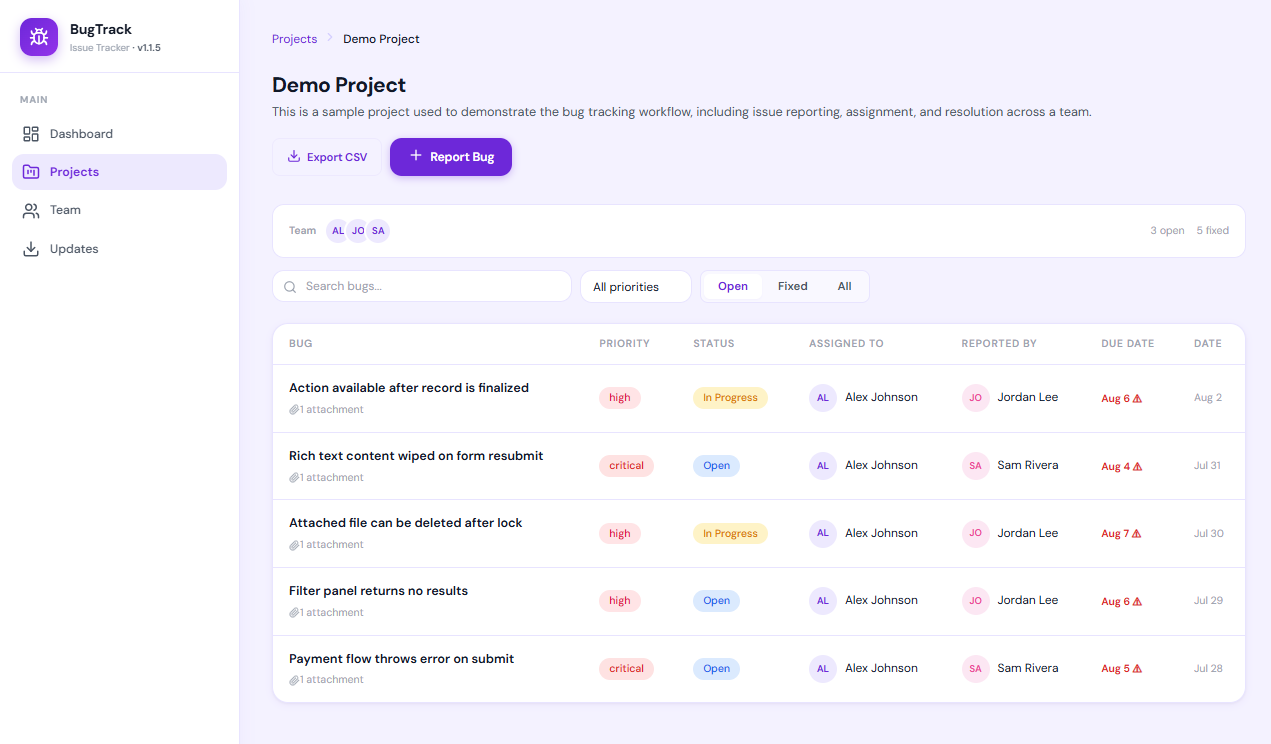
You don't need special tooling for any of the above, but it helps when the tracker doesn't fight you. In BugTrack, the five outcomes map onto what's already there: one priority field (low, medium, high, critical), four statuses (open, in progress, fixed, closed) and a single assignee per bug. "Needs info" and "won't fix" are a comment plus the status, so the reason sits on the bug. Filtering a project's bugs to open and unassigned gives you the triage queue in one click.
Frequently asked questions
What is bug triage?
The step between a bug being reported and a bug being worked on. For each new report you decide whether it is real, whether it duplicates something already filed, how soon it should be fixed and who owns it. Fixing it is not part of triage.
How often should a small team triage bugs?
A quick daily glance for anything critical, and one timeboxed session of fifteen to thirty minutes a week for everything else. The aim is that no bug waits more than a few working days without a decision.
Who should run bug triage?
One person, not a committee — usually the lead or whoever owns the schedule. They can pull others in for a specific bug, but the decision belongs to one person so it actually gets made.
What is the difference between triage and prioritisation?
Prioritisation is one part of triage. Triage also covers checking the bug is real, removing duplicates and assigning an owner. You can only prioritise a bug sensibly once you know it is reproducible and not already filed.
What do you do with a bug you cannot reproduce?
Ask for the specific missing detail and set a deadline. If nothing arrives in about two weeks, close it with a note that it can be reopened. Leaving it open only hides the bugs you can fix.
Should you close old bugs that nobody will fix?
Yes — as won't fix, with a one-line reason. A backlog full of bugs nobody intends to schedule makes the real ones harder to see, and a closed bug can always be reopened.
A bug tracker that keeps triage short
BugTrack is a free, self-hosted issue tracker for individuals and small teams. One priority field, four statuses, one owner per bug — enough to triage properly, and nothing you have to configure first.
Download free →