BugTrack vs Linear: a self-hosted alternative for bug tracking
Linear is genuinely well built — fast, opinionated, and popular for good reason. It's also cloud-only and priced per seat, which matters if you specifically need self-hosted bug tracking rather than a full product-development tool.
Choose Linear if you're running a product roadmap with cycles and want a polished cloud tool for your whole development process. Choose BugTrack if you specifically need self-hosted bug tracking — your data on your server, no per-seat pricing, and a safe way to let clients see status.
Side by side
| Linear | BugTrack | |
|---|---|---|
| Hosting | Cloud only, no self-hosted option | Self-hosted on your own server |
| Pricing model | Per seat, tiered by plan | Free, unlimited seats |
| Scope | Issues, cycles, roadmaps, product workflow | Focused bug tracking: statuses, priority, comments |
| Client / viewer access | Guest seats, priced separately | Free read-only viewer role per project |
| Data residency | Linear's cloud infrastructure | Wherever you run your own server |
| Setup time | Minutes to sign up, more to configure workflows | Minutes — download, install, done |
Where Linear genuinely wins
Linear's interface is one of the best-designed tools in this space — fast, keyboard driven, and clearly built by people who use it themselves. If your team runs a real product cycle with roadmaps, sprints, and cross-functional planning, Linear's scope covers that in a way a focused bug tracker never will. It's also a safe default if you have no particular requirement to keep data off someone else's cloud.
Where BugTrack fits better
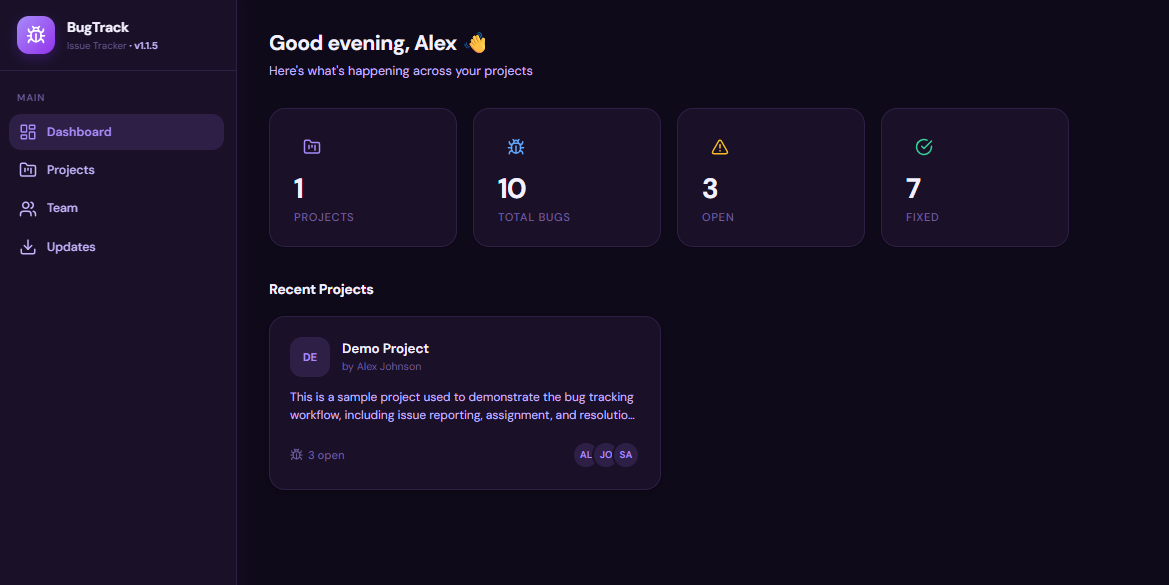
The gap opens up specifically around hosting and cost structure. Linear has no self-hosted tier at any price — if keeping your bug data on infrastructure you control is a requirement rather than a preference, Linear simply isn't an option regardless of budget. And because Linear prices by seat, adding an occasional contributor or a client viewer carries an ongoing cost that a focused bug tracker doesn't need to charge for.
- Self-hosted by default. Your database lives on your server, not a third-party cloud account.
- No per-seat pricing. Bring in a client, a contractor, or your whole team without recalculating a bill.
- Narrower, on purpose. No roadmap or cycles to configure — just the fields a bug actually needs.
- A free viewer role. Clients see status without a guest-seat charge.
If you don't need a roadmap tool
A common pattern: a small team adopts Linear for its whole product process, but the part that actually gets used day to day is the issue list. If that's you, it's worth asking whether a dedicated bug tracker — with no cycles, no roadmap view, nothing to configure — is a better match for what you actually do with the tool.
Frequently asked questions
Is Linear self-hostable?
No. Linear is a cloud-only product with no self-hosted option. If keeping data on your own server matters, BugTrack is the self-hosted alternative.
What's a good free alternative to Linear for bug tracking?
BugTrack is free to self-host with no per-seat pricing. It doesn't replicate Linear's roadmap and cycles features — it focuses specifically on tracking bugs.
Can I give a client viewer access in Linear?
Linear supports guest seats, priced separately per workspace plan. BugTrack's viewer role is included at no extra cost on any project.
Try the self-hosted route
BugTrack is free, runs on your own server, and takes about 15 minutes to set up.
Download free →