The best open source bug trackers in 2026 (and who each is for)
"Free" is the easy part of picking an open source bug tracker. The hard part is what it takes to run: the runtime, the database, the upgrades. Here are the options worth considering, what each one is genuinely good at, and how to choose without a week of trials.
For a focused bug tracker, start with MantisBT. For bugs plus a wiki and time tracking, Redmine. For a modern, Jira-style board, Plane. If your code already lives on Gitea or GitLab, try their built-in issues first. And before you commit, check what each one needs to run: the database server is where most "free" trackers quietly cost you time.
Teams usually go looking for an open source bug tracker for one of three reasons: they want to stop paying per seat, they want their bug data on their own server, or they want to be able to read and change the code. Those are different goals, and they point at different tools.
This guide covers the established options, then a few that fit narrower situations. It's written for small teams, so it leans toward what is practical to run and maintain, not what has the longest feature list. It does not rank them from one to eight, because "best" depends on which of those three goals matters most to you.
Open source vs self-hosted: a quick distinction
The two terms get swapped constantly. Open source is about the licence: you may read, modify and redistribute the code. Self-hosted is about where it runs: on your server, not the vendor's. Most open source trackers are also self-hostable, but not the other way round. We cover the difference in what is a self-hosted bug tracker. If you only need your data on your own machine, any tool below that you can run yourself will do, whatever its licence.
At a glance
| Tool | Built with | Database | Best for |
|---|---|---|---|
| MantisBT | PHP | MySQL/MariaDB or PostgreSQL | A dedicated bug tracker with a long track record |
| Redmine | Ruby on Rails | Typically MySQL or PostgreSQL | Bugs plus wiki, time tracking and several projects |
| Bugzilla | Perl | MySQL/MariaDB or PostgreSQL | Very large projects with heavy search needs |
| Trac | Python | SQLite by default; others supported | Small teams who want tickets next to a wiki and their repository |
| Plane | Web app, runs in containers | Server database, set up for you by its containers | Teams who want a Jira-style board they host themselves |
| OpenProject | Ruby on Rails | PostgreSQL | Full project management with Gantt charts and work packages |
| Gitea / Forgejo | Go | SQLite, MySQL or PostgreSQL | Teams already hosting code there |
| GitLab (Community Edition) | Ruby, Go | PostgreSQL | Teams already on GitLab for code and CI |
Stacks and supported databases change between releases. Treat the table as a map and confirm against each project's current install documentation before you commit.
MantisBT: the classic bug tracker
MantisBT has been around for a very long time and does one thing: track bugs. It has projects, categories, severity and priority, assignment, email notifications, filters and plugins, and it will run on an ordinary PHP host with a MySQL or PostgreSQL database. If a "free self-hosted Jira alternative" is what you're after and you want it to be a bug tracker rather than a project management suite, this is the usual first stop.
Watch out for: the interface reflects its age, and customising workflows takes configuration work someone has to own. See our BugTrack vs MantisBT & Redmine comparison and the MantisBT alternatives page for a closer look.
Redmine: bugs, wiki and time tracking in one
Redmine is a general project management tool with an issue tracker at its centre. It handles multiple projects, per-project roles, custom fields, a wiki, forums, time tracking and repository browsing, and it has a large plugin ecosystem. If your team wants one tool for tickets and documentation and hours worked, it does all three.
Watch out for: it needs a Ruby on Rails environment and a database server, and a fresh install means a longer configuration pass before the first project exists. More in Redmine alternatives.
Bugzilla: built for scale
Bugzilla is Mozilla's tracker, and it's built for projects with a very large number of bugs and a lot of people filing them. Its search and reporting are powerful, and it has years of hard-won handling for duplicates, dependencies and flags.
Watch out for: it is a heavier, more formal tool than a small team needs, and the interface and terminology assume you already know how a big open source project triages. For a team of five it is usually more tracker than the job requires.
Trac: tickets next to a wiki and your code
Trac is a long-standing, minimalist tool that combines a ticket system, a wiki and repository browsing. It runs on Python and uses SQLite by default, so a small install doesn't need a separate database server. That lightness is its appeal.
Watch out for: the interface is plain and many features come from plugins. Check the project's recent release activity before you build a workflow on it.
Plane: the modern, Jira-style option
Plane is a newer open source project management tool aimed at the same ground as Jira and Linear: issues, boards, cycles and modules, with a contemporary interface. It can be self-hosted, and is typically deployed with containers, which also brings its own database up for you.
Watch out for: being young means it moves quickly, which is good for features and demanding for whoever maintains the install. A container stack is also more to run than a single process. It is aimed at the full project-management feature set, which is more than a pure bug tracker needs.
OpenProject: when you need real project management
OpenProject is a full project management platform: work packages, Gantt charts, roadmaps, time and cost tracking, and meeting agendas. Bugs are one type of work package among many. Pick it when you genuinely need planning features, not just a list of defects.
Watch out for: it's the heaviest tool on this list to run and learn, and for a team that only wants to log and fix bugs it is the wrong shape.
Gitea, Forgejo and GitLab: the tracker you already have
If your code is already on Gitea, Forgejo or GitLab, you already have an issue tracker. Issues link to commits and merge requests, closing a bug can happen from a commit message, and there's nothing extra to install. Gitea and Forgejo are light enough to run on a small server; GitLab is a much bigger system.
Watch out for: these are developer tools. Testers, clients and non-technical reporters usually need accounts on your code host to file anything, which is where many teams hit a wall. If you need to give a client access to your bug tracker, a separate, simpler tool often works better.
Where BugTrack fits (it is free, but not open source)
We should be clear about this one. BugTrack is free and self-hosted, but it is not open source: the install contains readable, unobfuscated code that you run and own a copy of, but it is not published under an open-source licence. If being able to fork and redistribute the code is a hard requirement, choose from the tools above.
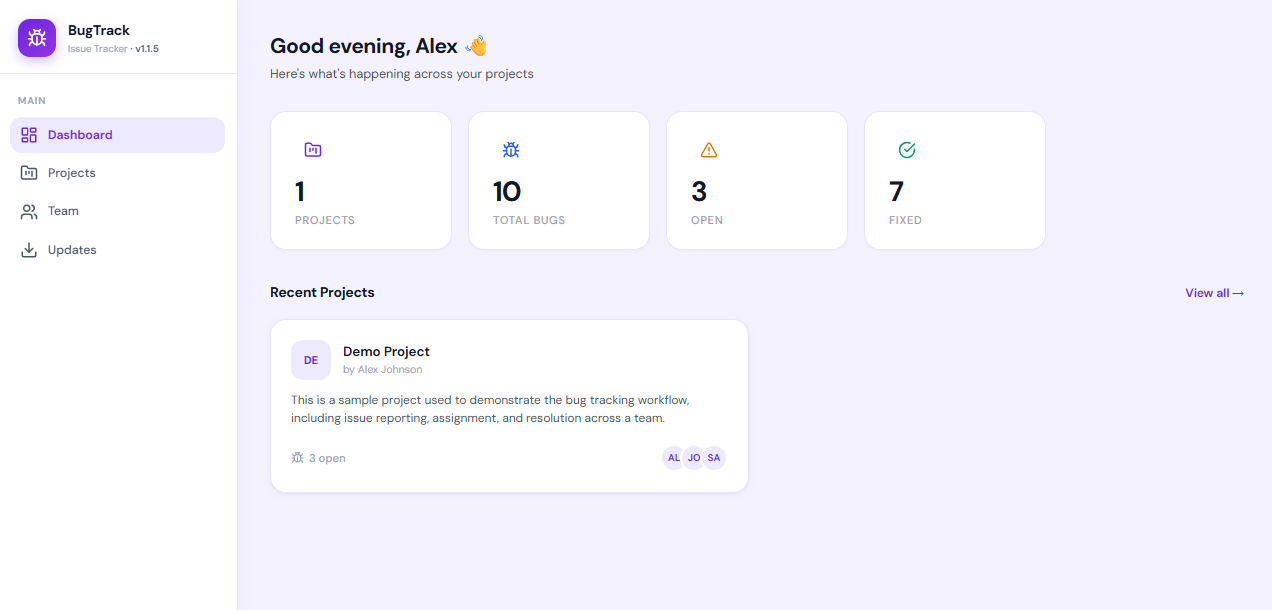
If what you actually want is a free tracker on your own server that's quick to stand
up, it's a fit. It's a Node.js app that stores everything in a single SQLite file, so
there's no database server to
run. You download it, unzip it, run npm install and npm start,
and you're working in about
fifteen minutes. It deliberately
leaves out sprints, story points and workflow builders. See
free bug tracking software for what it
costs (nothing, for any number of users) and what it leaves out.
How to choose
Work through these in order. Most teams are decided by the second or third question.
- Do you need the code, or just the data? If a licence that lets you modify and redistribute is non-negotiable, you need a genuinely open source tool. If you only want your data off a vendor's servers, any self-hosted tracker will do.
- Is your code already on Gitea or GitLab? If so, try its issues for a week before adding another system.
- Do you want a bug tracker or a project management tool? Bugs only: MantisBT, Trac, or a minimal tracker. Bugs plus planning, time and docs: Redmine, Plane or OpenProject.
- Who will run it? Someone has to patch it, back it up and upgrade it. Count the moving parts: a runtime, a database server, a container stack. The fewer there are, the more likely it's still maintained in a year.
- Who needs to file bugs? If it's only developers, anything works. If it's testers, clients or support, favour a tool with simple accounts and a clean reporting form.
The cost nobody lists: running it yourself
An open source licence removes the per-seat bill. It doesn't remove the work. Before you commit to any tool above, ask:
- How does it upgrade? A tracker you're afraid to update is a tracker that falls behind on security fixes.
- What does a backup involve? A file copy, or a database dump plus an uploads folder?
- How recent is the last release, and how are security fixes announced?
- What does it need besides itself? Every extra service is one more thing that can break at 2am.
None of this argues against open source. It argues for choosing the tool you can realistically keep running. The weighing of hosting against a subscription is covered in self-hosted vs SaaS bug tracker.
Frequently asked questions
What is the best open source bug tracker?
It depends on the team. MantisBT is the closest to a pure bug tracker, Redmine suits teams that also want a wiki and time tracking, Bugzilla suits very large projects, and Plane or OpenProject suit teams that want full project management. If your code is already on Gitea or GitLab, their built-in issues are often enough.
Is there an open source bug tracker that needs no database server?
Trac and Gitea can run on SQLite, which is a single file rather than a separate server. Many of the others expect MySQL or PostgreSQL, which you then install, secure and back up alongside the tracker.
Is Jira open source?
No. Jira is proprietary. Open source alternatives include MantisBT, Redmine, Plane and OpenProject. See Jira alternatives or BugTrack vs Jira.
Is open source the same as self-hosted?
No. Self-hosted is where it runs; open source is the licence. A tracker can be self-hosted and closed source, or open source and sold as a hosted service.
What should I check before choosing one?
Recent releases, how security fixes are announced, the runtime and database it needs, how upgrades work, and who will own running it. The software is free; the server time to keep it patched and backed up is not.
A free, self-hosted tracker with no database to run
BugTrack is free for any number of users, runs on Node.js with a single SQLite file, and installs in about fifteen minutes. It isn't open source, but it is yours to run on your own server.
Download free →