BugTrack vs MantisBT & Redmine
MantisBT and Redmine are self-hosted too, so the usual self-hosting pitch doesn't apply here. The real differences are setup complexity, what infrastructure you need to run alongside them, and how dated the day-to-day experience feels.
Choose MantisBT or Redmine if you need deep customization — custom fields, plugins, configurable workflows — and don't mind running and maintaining a separate database server. Choose BugTrack if you want something running in 15 minutes, with no database server to install, and a modern interface with dark mode.
Side by side
| MantisBT / Redmine | BugTrack | |
|---|---|---|
| Database | Separate server: MySQL, PostgreSQL, etc. | SQLite file, no server to run |
| Install complexity | PHP/Ruby runtime, DB setup, config files | Download, npm install, npm start |
| UI era | Reflects mid-2000s to 2010s conventions | Built with a current design system |
| Dark mode | Not built in (Redmine: theme-dependent) | Full dark mode, follows system preference |
| Customization | Extensive: custom fields, plugins, workflows | Deliberately minimal — nothing to configure first |
| Mobile experience | Largely desktop-oriented | Responsive by default |
Where MantisBT and Redmine genuinely win
Both are mature, battle-tested projects with real plugin ecosystems and years of production use behind them. If your team needs custom fields per project, a configurable workflow engine, or integrations built up over time by a large community, that flexibility is a genuine advantage BugTrack doesn't try to match. Neither tool is going anywhere — both are actively maintained.
Where BugTrack fits better
The gap isn't "self-hosted vs not" — it's what running that self-hosted install actually involves day to day. MantisBT typically needs a PHP runtime and a MySQL database; Redmine needs Ruby and its own database, plus a longer initial configuration pass before the first project exists. BugTrack needs Node.js and nothing else — SQLite is a file, not a service you monitor.
- No database server. SQLite is a single file; there's no separate process to install, tune, or back up.
- 15-minute setup. Download, unzip,
npm install,npm start. - A modern interface, including dark mode. Built with current design conventions rather than a decade-old template.
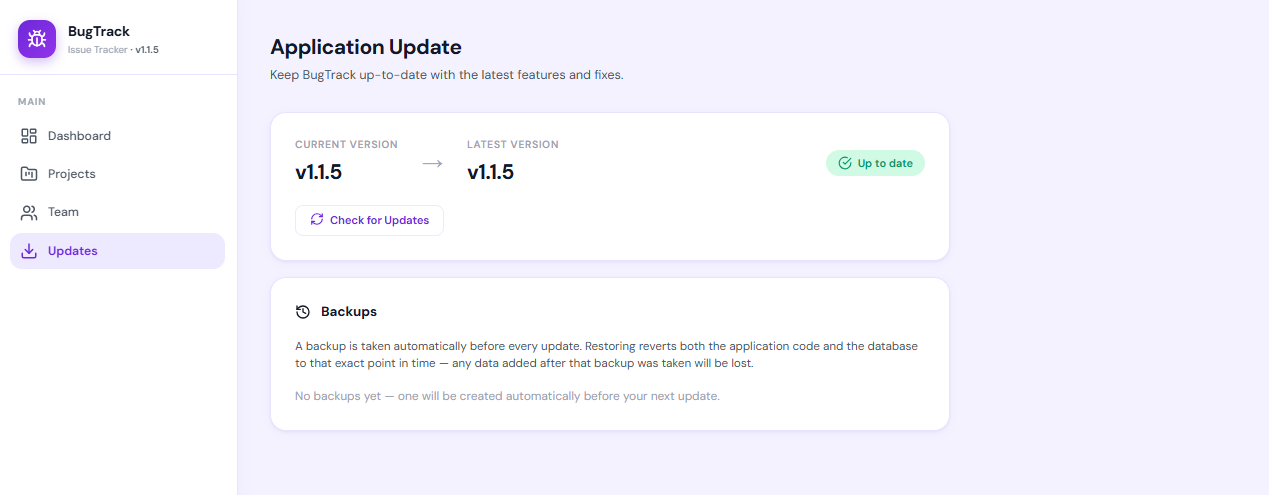
- One-click updates. Applied from the admin panel, with an automatic backup and rollback path.
The tradeoff is real: BugTrack doesn't offer custom fields or a workflow builder. That is deliberate — every option added is a configuration decision someone has to make and a setting someone has to remember exists. If you need that depth, MantisBT or Redmine earn their complexity. If you don't, BugTrack is less to run.
Frequently asked questions
Do I need a database server for BugTrack?
No. BugTrack uses SQLite, a single local database file with no separate server process to install, configure, or maintain. MantisBT and Redmine both expect a separate database server such as MySQL or PostgreSQL.
Are MantisBT and Redmine more customizable than BugTrack?
Yes, meaningfully so. Both support custom fields, plugins, and configurable workflows that BugTrack deliberately doesn't offer. That flexibility is real, but it's also configuration work someone has to do and maintain.
How long does BugTrack take to set up compared to Redmine?
BugTrack takes about 15 minutes: download, unzip, npm install,
npm start. Redmine setup typically involves installing Ruby, a database
server, and a longer configuration process before the first project exists.
Skip the database server
BugTrack is free, self-hosted, and needs nothing but Node.js. Running in about 15 minutes.
Download free →