The bug life cycle, explained (without the 11-state diagram)
Every textbook draws the bug life cycle as a maze of boxes and arrows. Real teams walk it with four. Here is every stage, whose turn it is at each one, and the three places bugs quietly go to die.
The bug life cycle (also called the defect life cycle) is the path a bug takes from reported to closed. The core stages are new → assigned → in progress → fixed → verified → closed, with side exits for rejected, duplicate, deferred and reopened bugs. Each status exists to say whose turn it is. Small teams can run the whole thing on four statuses — open, in progress, fixed, closed — plus comments.
Here is a bug's life on a team without one. Someone spots it and mentions it in chat. A developer says "on it". Three days later they say "should be fixed now". Nobody checks. Two weeks later a customer hits it again, and the conversation starts over — except now nobody remembers what was tried the first time.
Nothing in that story is laziness. Every person did their part. What was missing was a shared answer to a very simple question: where is this bug right now, and who is it waiting on? That answer is the bug life cycle.
What is the bug life cycle?
The bug life cycle is the set of states a bug can be in, and the moves allowed between them. "Defect life cycle" is the same thing in QA-textbook language; you will see both in interviews and certification syllabuses, and they mean the same process.
The point of it is not paperwork. A status is a hand-off signal. When a bug moves from in progress to fixed, the developer is saying "your turn" to whoever verifies it. When it goes back to open, someone is saying "not done yet". A good life cycle means nobody has to ask.
The bug life cycle at a glance
Every stage, and whose turn it is
Each stage below has an owner: the person the bug is waiting on. If you can't name the owner of a stage, that stage is where your bugs will pile up.
1. New — waiting on whoever triages
Someone has reported a bug and nobody has looked at it yet. The quality of everything that follows depends on this report: steps to reproduce, what was expected, what actually happened, and a screenshot if it's visual. If your reports routinely miss those, start with how to write a bug report that gets fixed or hand reporters the bug report template.
2. Assigned — waiting on the developer to start
The bug has been triaged: it's real, it's not a duplicate, it has a priority and an owner. That decision is bug triage, and it's the gate that keeps the rest of the cycle clean. One owner, never a group — a bug assigned to "the frontend team" is assigned to nobody.
3. In progress — waiting on the developer to finish
Someone is actively working on it. This status is a promise, so treat it like one: if you stop working on a bug, move it back. A board where half the bugs say in progress and nobody has touched them in a fortnight is lying to you.
4. Fixed — waiting on someone to check
The developer believes the change works. Note the word believes. Fixed is a claim, not a fact. This is the most important hand-off in the whole cycle, because it's the one where the bug leaves the person who understands it best. A one-line comment saying what changed and where to test it ("Fixed in the checkout form; try a postcode with a space") makes verification take two minutes instead of twenty.
5. Verified — waiting on nobody
Someone other than the developer has followed the original steps to reproduce and the bug no longer happens. Ideally that's the reporter; on a QA team it's a tester. Many small teams fold this into closed, which is fine — as long as closing still means somebody checked.
6. Closed — done
The bug is resolved and nobody needs to act. Closed is also where bugs go when they won't be fixed at all, which is why the reason belongs on the bug.
The side exits: rejected, duplicate, deferred, reopened
Not every bug walks the main path. Four other states turn up in most textbook diagrams:
| State | What it means | What to do |
|---|---|---|
| Rejected / Not a bug | Working as designed, or can't be reproduced after asking for details | Close with a one-line reason so the reporter isn't left guessing |
| Duplicate | Already filed | Copy any better steps or screenshots to the original, link it, close |
| Deferred / Won't fix | Real, but not worth fixing now — or ever | Close with the reason; reopen if circumstances change |
| Reopened | Marked fixed, but the check failed or the bug came back | Move the original bug back to open with a comment on how it reappeared |
Reopening deserves special attention. Always reopen the original rather than filing a fresh bug: the history of the first fix — what was changed, what was assumed — is exactly what the second attempt needs. And if a bug gets reopened twice, stop patching symptoms. Nobody has found the cause yet.
Where bugs get stuck (and how to unstick them)
Most teams don't have a bug-fixing problem. They have a bug-moving problem. Three spots account for nearly every stalled bug:
- The New pile. Reports arrive faster than anyone sorts them, so the list stops being read, so the one critical bug in it goes unseen. The fix is a rule, not a tool: no bug waits more than a week without a decision. A two-minute daily glance and a fifteen-minute weekly pass is enough for most small teams.
- The zombie "in progress". Bugs someone meant to work on, started, and abandoned. Sort your open bugs by last update; anything in progress that hasn't moved in a week either goes back to open or gets a comment explaining why.
- The Fixed-but-never-checked limbo. The developer has moved on and the reporter was never told. The bug sits in fixed indefinitely — or worse, gets closed unchecked and returns in production. Notifying the reporter when a bug's status changes closes this gap almost on its own.
How many states do you actually need?
The eleven-box diagram is useful for passing an ISTQB exam. For a team of one to ten it's mostly overhead: every extra state is one more thing to keep accurate, and an inaccurate status is worse than none. The test for any state is simple — does it change whose turn it is? If not, it's a comment, not a status.
Applying that test, the textbook cycle collapses neatly into four:
| Four-state workflow | Covers textbook states | Whose turn |
|---|---|---|
| Open | New, Assigned, Reopened | Triage, then the assignee |
| In progress | In progress | The assignee |
| Fixed | Fixed | The reporter or tester, to verify |
| Closed | Verified, Closed, Rejected, Duplicate, Deferred | Nobody — the comment says why |
"Assigned" doesn't need its own status because the assignee field already says it. "Rejected", "duplicate" and "won't fix" don't need their own statuses because nobody acts on them afterwards — a closed status plus a one-line reason says everything. If you later find yourself genuinely needing more, add them then. It's much easier to add a state people are asking for than to remove one nobody uses.
Who is allowed to move a bug?
Roles matter more than states. A rough division that works for most small teams:
- Anyone on the project can report a bug and comment on it.
- The lead (or whoever runs triage) sets priority and assigns an owner.
- The assignee moves it to in progress and to fixed.
- The reporter or a tester verifies and closes — or reopens.
- Clients and stakeholders can usually see status but shouldn't change it. More on that in giving a client access to your bug tracker.
Don't over-enforce this. On a team of two, the developer will sometimes close their own bug, and that's fine as long as they re-run the original steps first. The goal is that closing means something, not that it requires a signature.
A worked example
Here is one bug walking the four-state cycle, start to finish:
- Monday 10:04 — Open. Priya reports "Checkout rejects UK postcodes with a space", with steps and a screenshot.
- Monday 10:30 — Open, assigned. In the daily glance the lead confirms it reproduces, marks it high priority and assigns it to Sam.
- Tuesday 09:15 — In progress. Sam picks it up.
- Tuesday 11:40 — Fixed. Sam comments: "Validation now trims and allows one internal space. Try SW1A 1AA." Priya gets notified.
- Tuesday 14:02 — Closed. Priya re-runs her original steps, confirms, closes.
Four status changes, two comments, one day and a half. Nobody asked "any update on this?" once — the status already said.
How this maps onto BugTrack
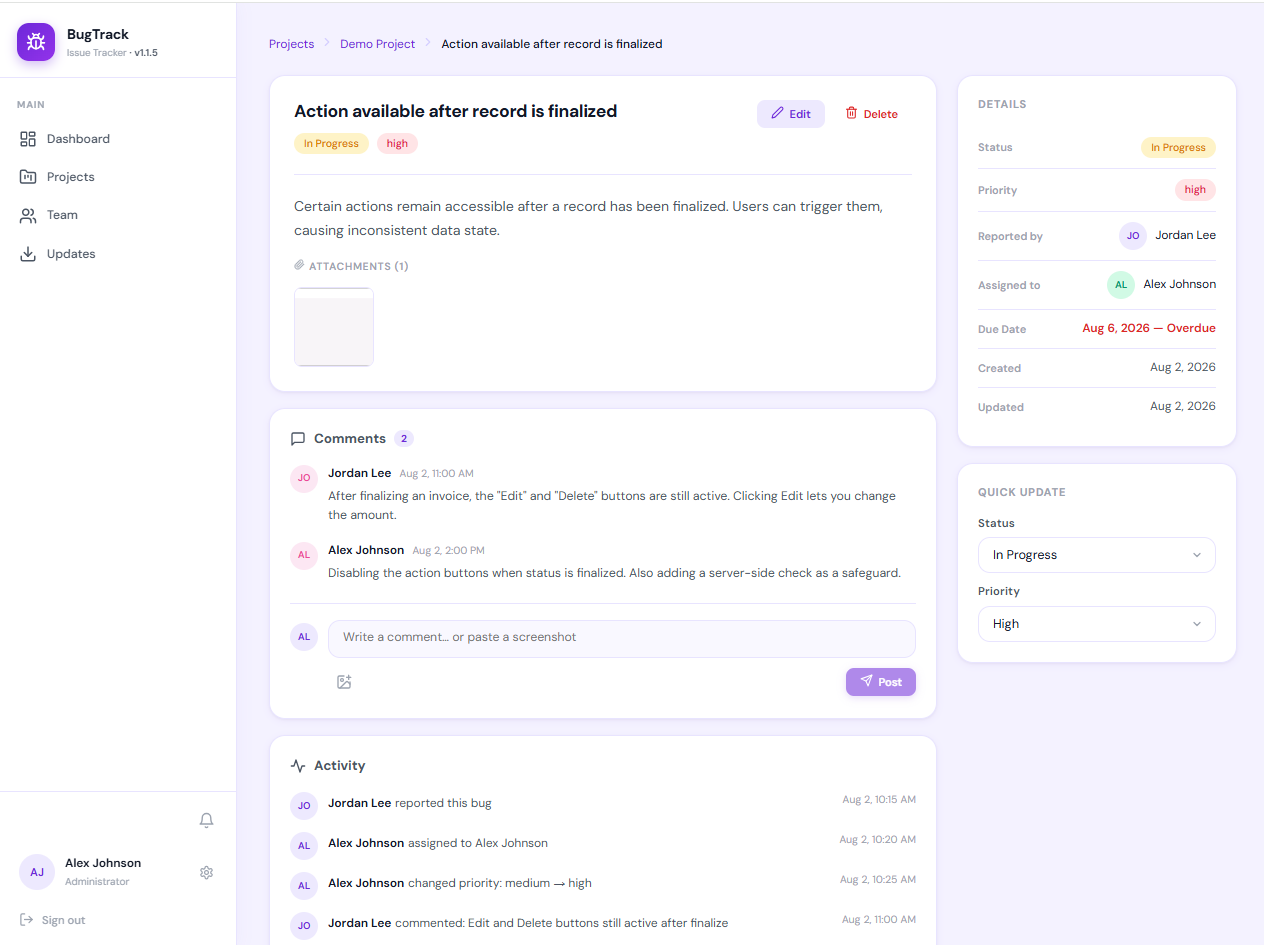
BugTrack is built around the four-state cycle above: every bug is open, in progress, fixed or closed, with one assignee and one priority (low, medium, high, critical). Transitions aren't locked down — you can reopen a closed bug by setting it back to open — because small teams need flexibility more than gates. What you get instead is a record:
- Every status change is written to the bug's activity history, with who made it and when.
- The reporter and assignee are notified in-app and by email when the status changes, which is what gets fixed bugs verified.
- Status changes can post to a project's Slack channel if your team lives there.
- Filtering a project to open and unassigned gives you your triage queue; filtering to fixed gives you everything waiting to be checked.
Roles follow the same split as above: members report, comment and work their bugs, the project lead manages the project, and viewers can follow along read-only.
Frequently asked questions
What is the bug life cycle?
The sequence of states a bug moves through from being reported to being closed — typically new, assigned, in progress, fixed, verified and closed, with side exits for rejected, duplicate, deferred and reopened bugs. Each state tells the team whose turn it is to act.
Is the defect life cycle the same as the bug life cycle?
Yes. "Defect life cycle" is more common in formal QA and software testing courses; "bug life cycle" is the everyday term. Same process. If you're curious where the words diverge, see defect vs bug vs issue tracking.
What is the difference between fixed and closed?
Fixed means the developer believes the change works. Closed means someone else has checked and agrees. The gap between them is verification, and skipping it is the most common reason bugs come back.
Who should close a bug?
Ideally the reporter or a tester, after re-running the original steps. On a very small team it may be the developer — just make it a deliberate check, not something assumed the moment the code is merged.
What happens when a fixed bug comes back?
Reopen the original bug with a comment on how it reappeared, rather than filing a new one, so the history of the first fix stays attached. A bug reopened more than once usually means the root cause hasn't been found.
How many states should a bug workflow have?
As few as still tell you whose turn it is. Four — open, in progress, fixed, closed — is enough for most small teams. Duplicate, won't fix and deferred work fine as a closed status plus a one-line reason.
A bug life cycle you don't have to configure
BugTrack is a free, self-hosted bug tracker for individuals and small teams. Four statuses, one owner per bug, a full activity history, and notifications that get fixed bugs checked. Running in about fifteen minutes.
Download free →